
Screen by screen.
Every Open TT screen, in order, with the detail of what it does and why it matters. From discovering what a ladder is to confirming a result and watching your Elo climb.
- 01
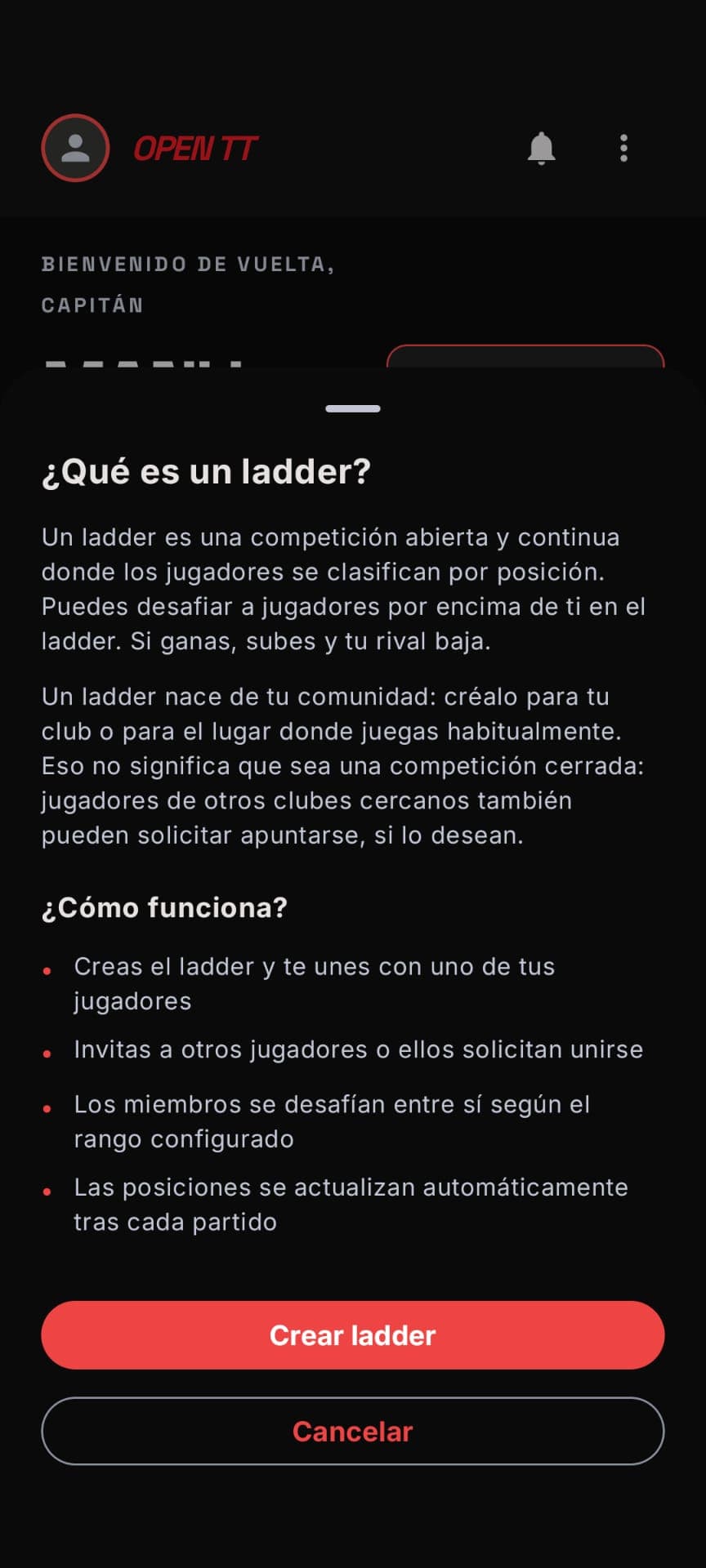 Onboarding
What is a ladder?
Before you start, Open TT explains the game: a ladder is a living ranking where you challenge those above you and, if you win, you climb. Create one for your club or your usual playing spot and let nearby people join in.
- 02
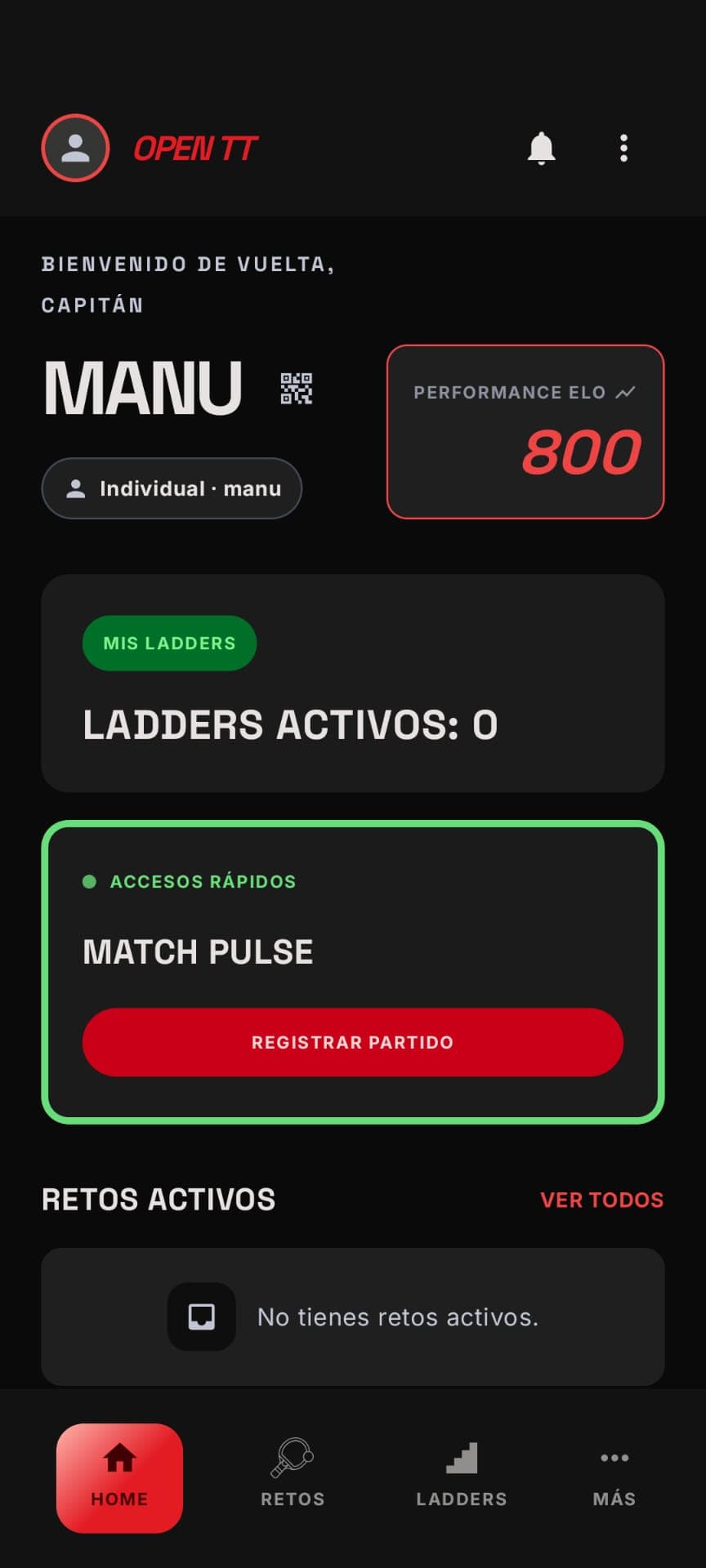 Home
HomeYour competitive pulse
The home screen brings together your current Elo, your challenges in progress and quick access to your ladders. Everything you need to know how you're doing and what to play next, the moment you open the app.
- 03
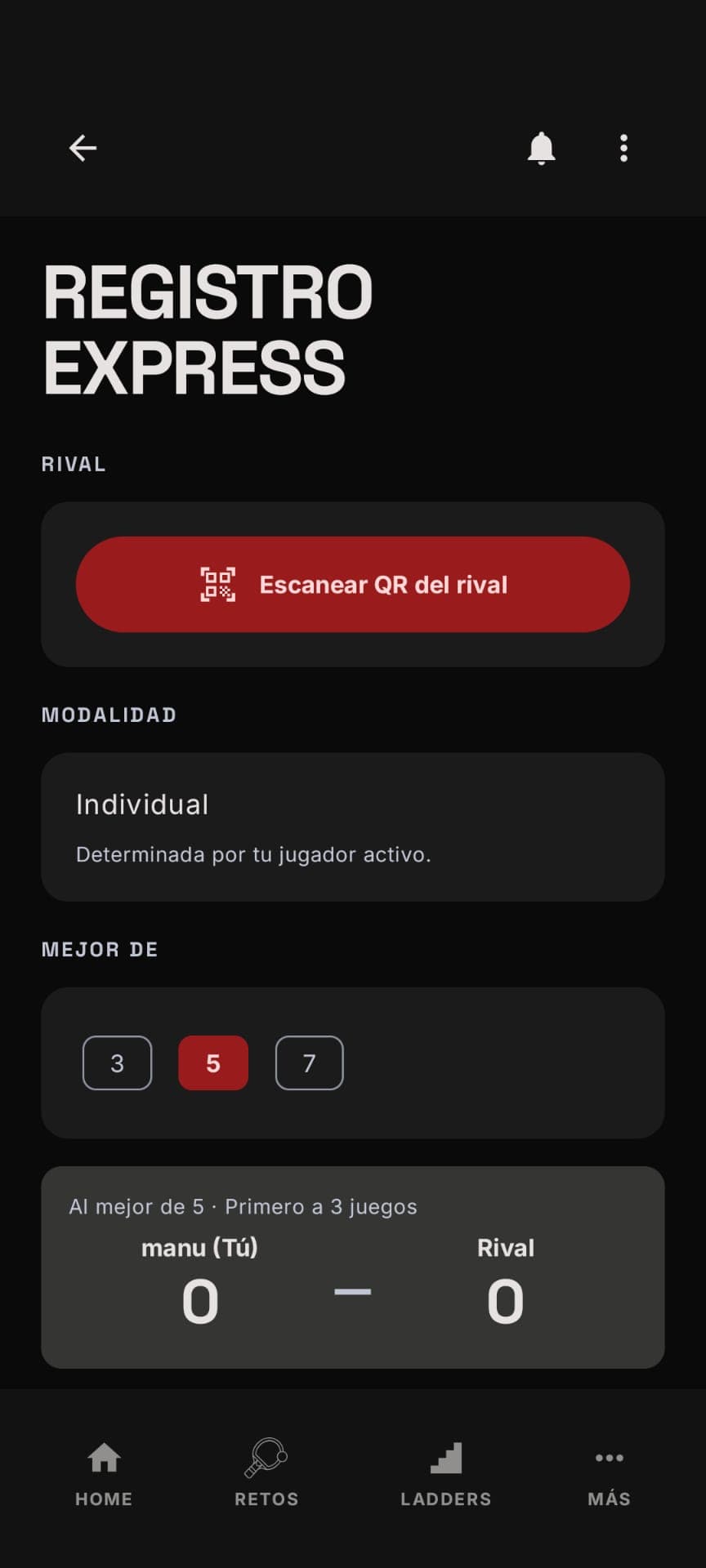 Express Registration
Log the result in seconds
Just finished a match, friendly or official? Scan your opponent's QR, pick the format (best of 3, 5 or 7) and enter the result. No paperwork, no friction: it's logged in seconds.
- 04
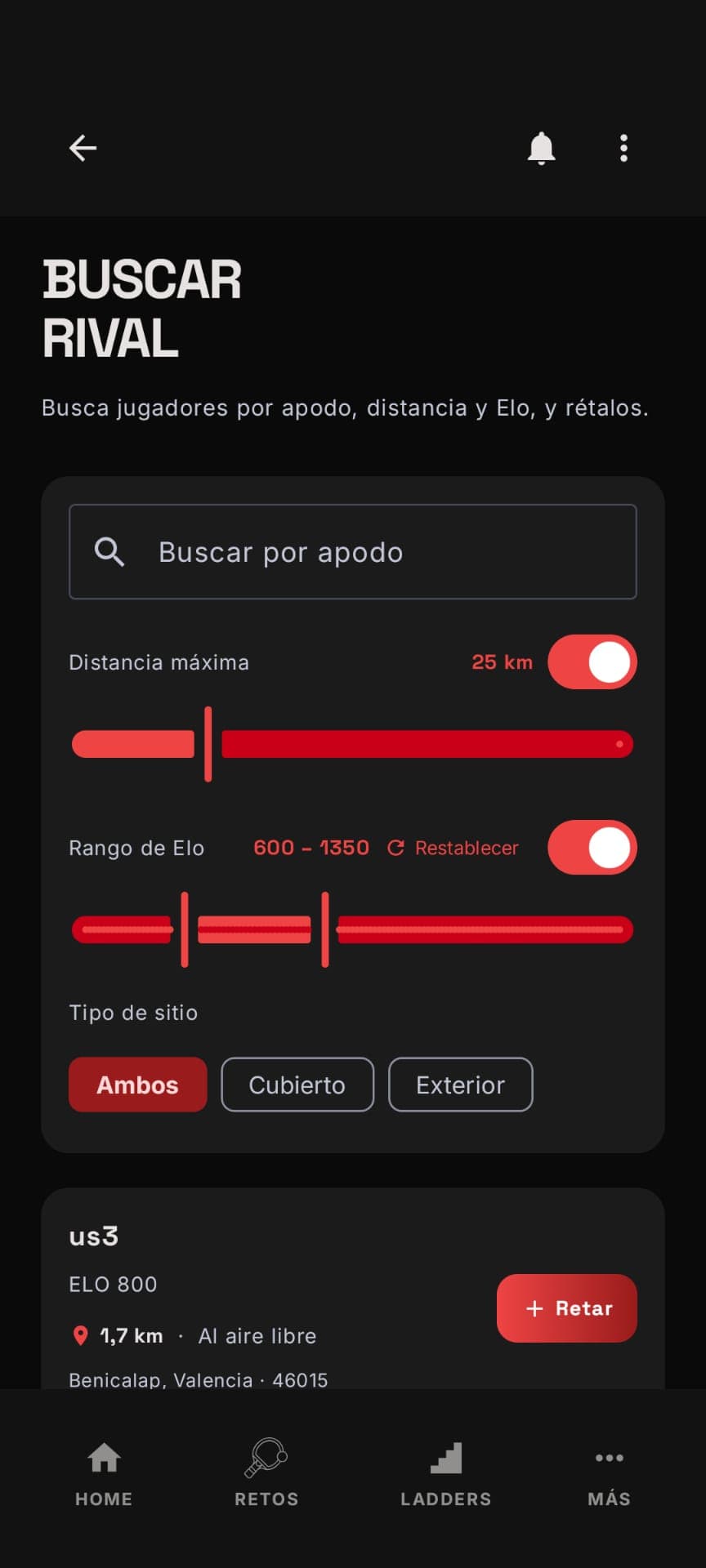 Find an opponent
Discover who to play
Filter opponents by nickname, distance, Elo range and venue type (indoor or outdoor). Find a match for your level just a few kilometres away and challenge them with a tap.
- 05
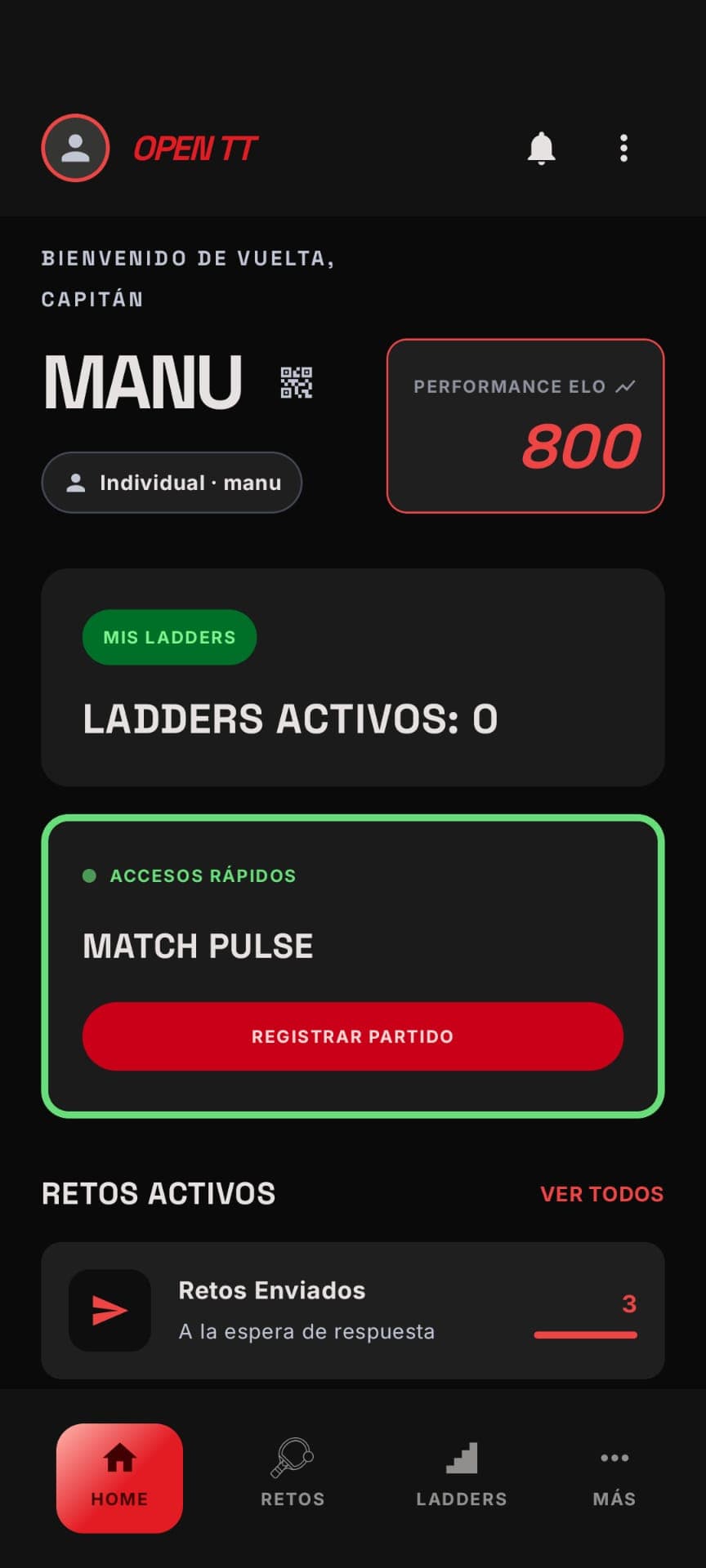 Home
HomeChallenges in progress
From the home screen you can see your active challenges and how many are awaiting a reply. Your game activity, all in one place.
- 06
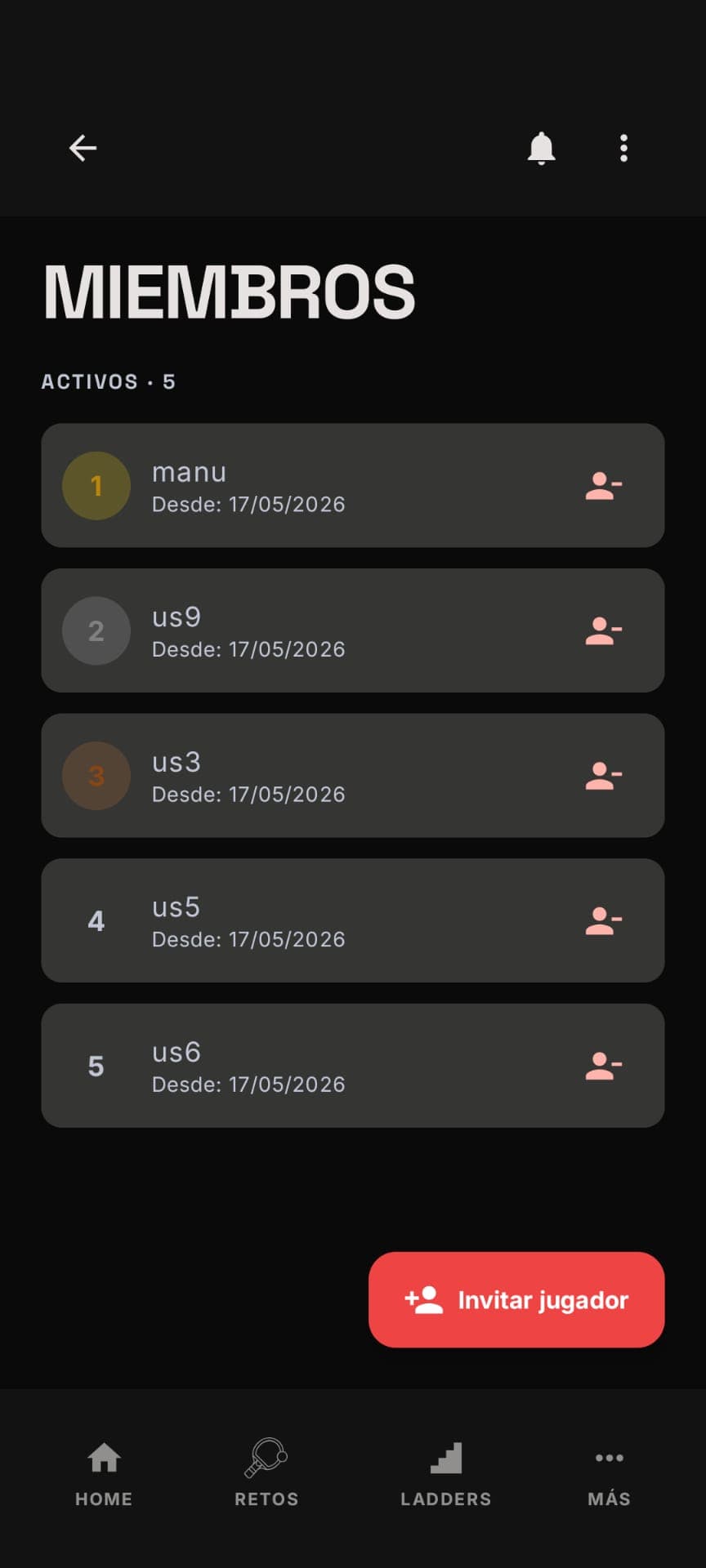 Ladder
Members
Each ladder shows its members with their spot on the ladder and since when they've belonged. Invite new people whenever you want to grow the competition.
- 07
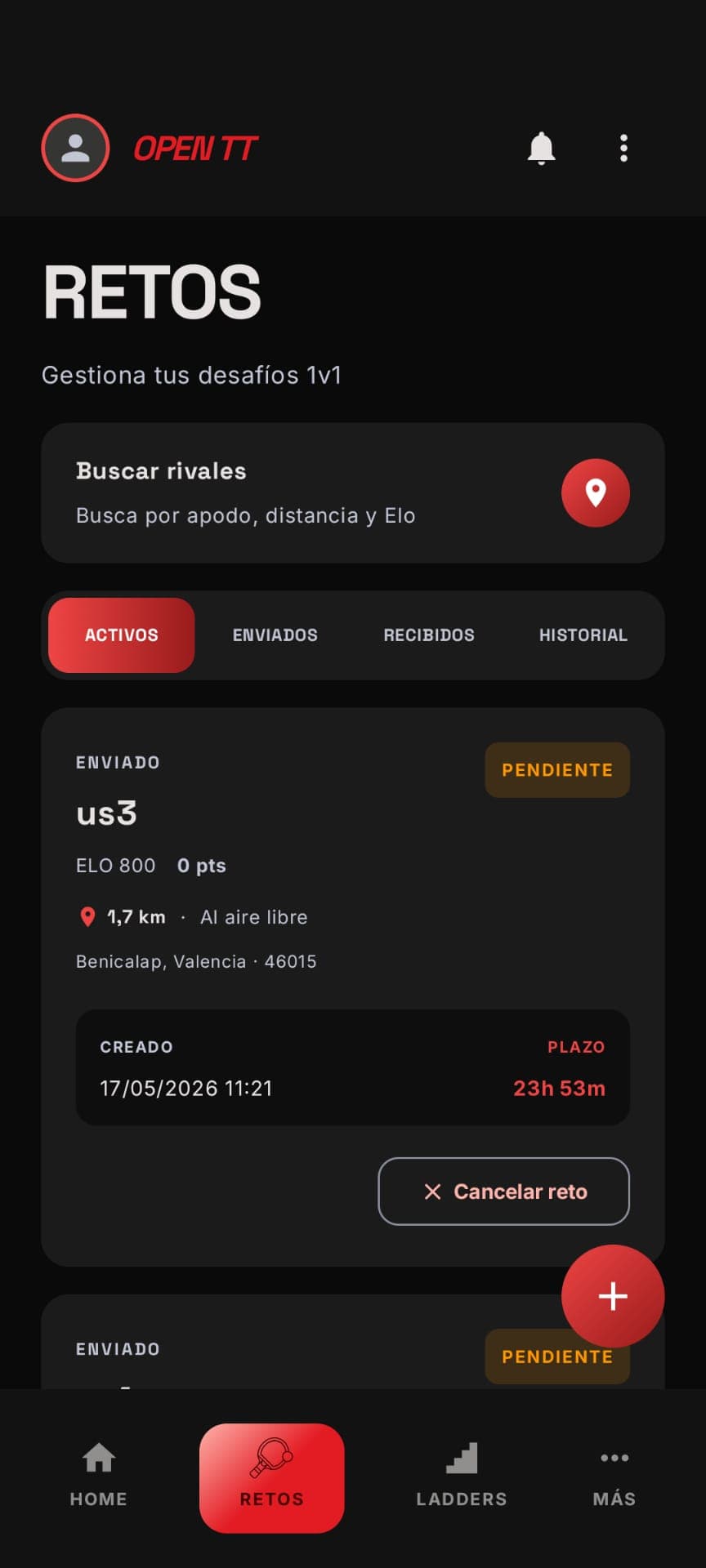 Challenges
Manage your 1v1 duels
Active, sent, received and history: organise your challenges into tabs, with clear deadlines and the option to cancel while they're still pending.
- 08
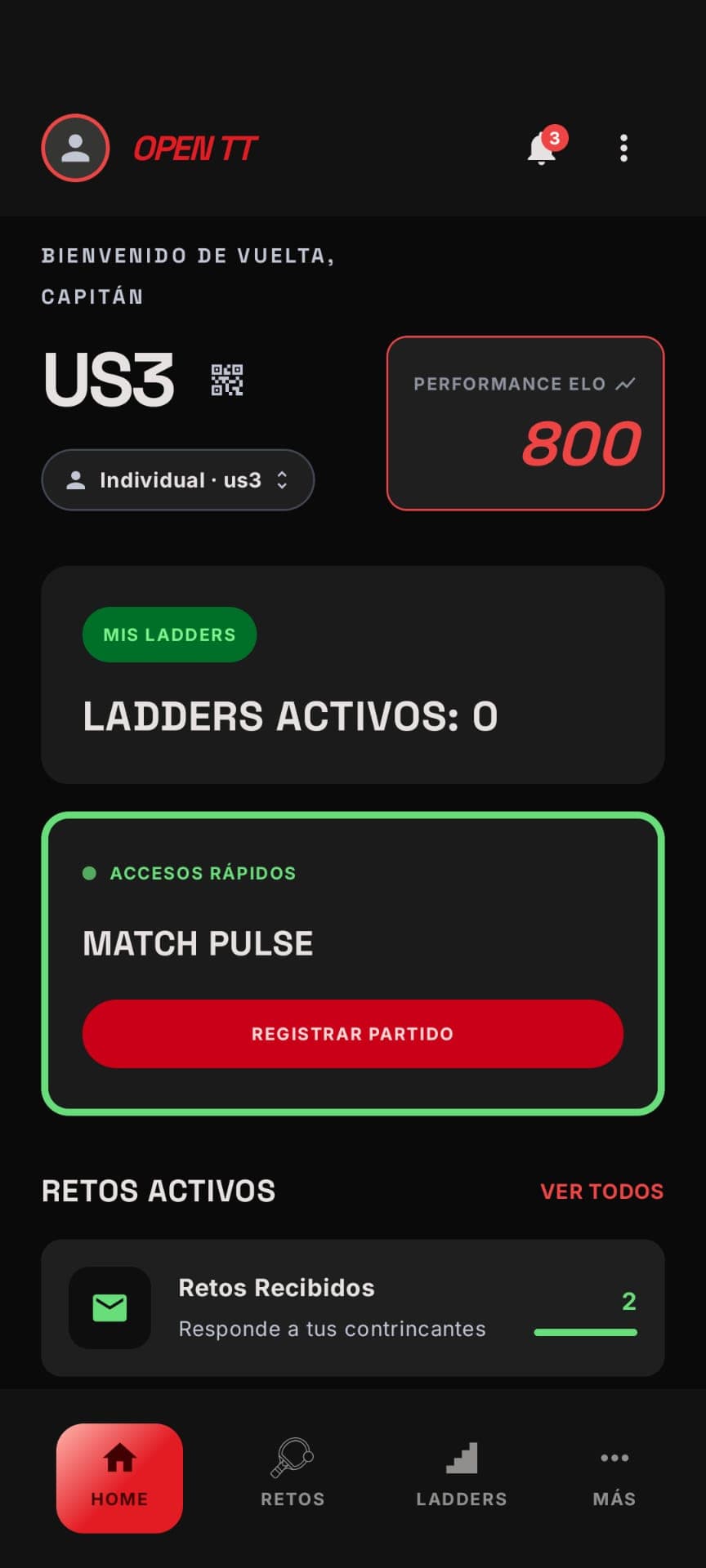 Home
HomeChallenges received
When someone challenges you, you know right away. Notifications and the received-challenges counter prompt you to respond in time.
- 09
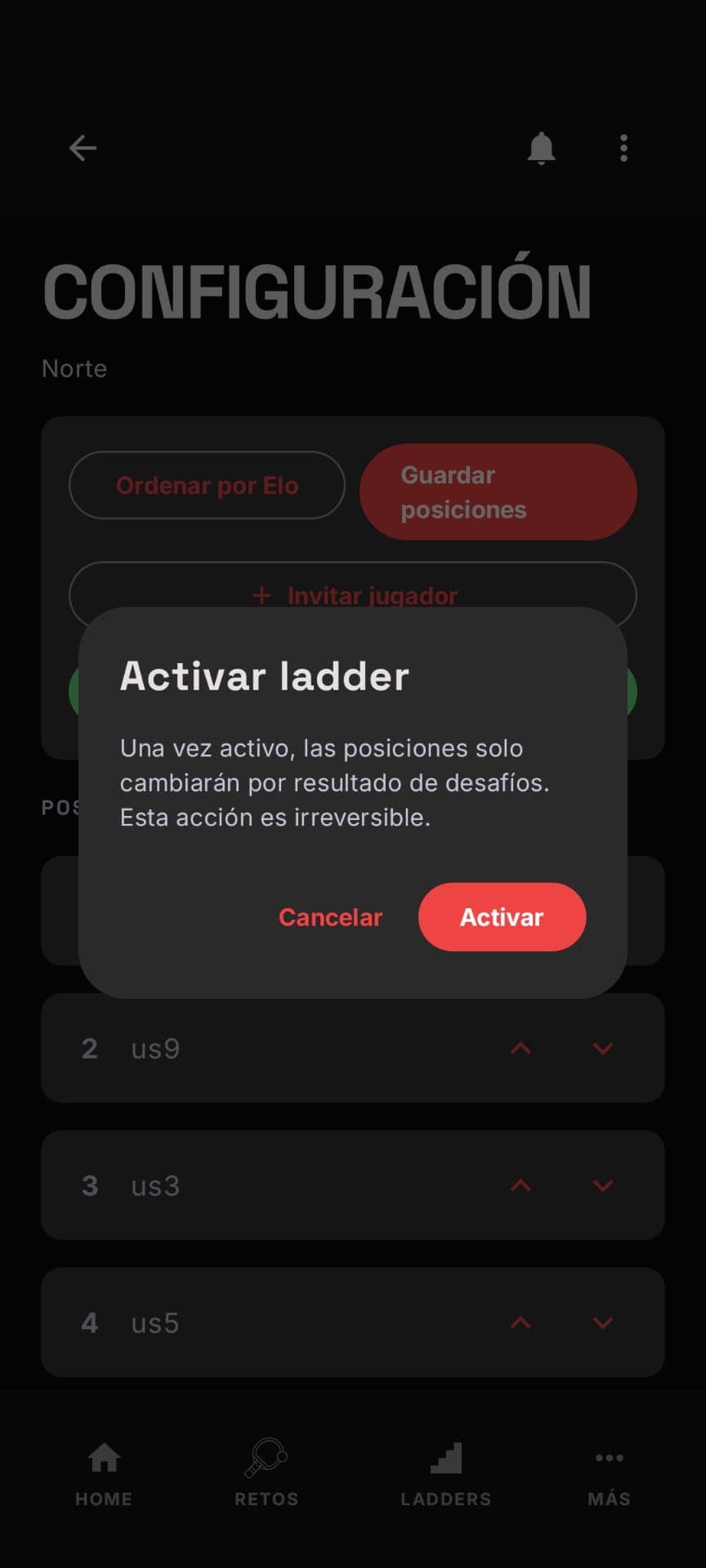 Ladder
Activate the competition
As the organiser, you arrange the starting positions (manually or by Elo) and activate the ladder. From then on, only challenge results move the ladder.
- 10
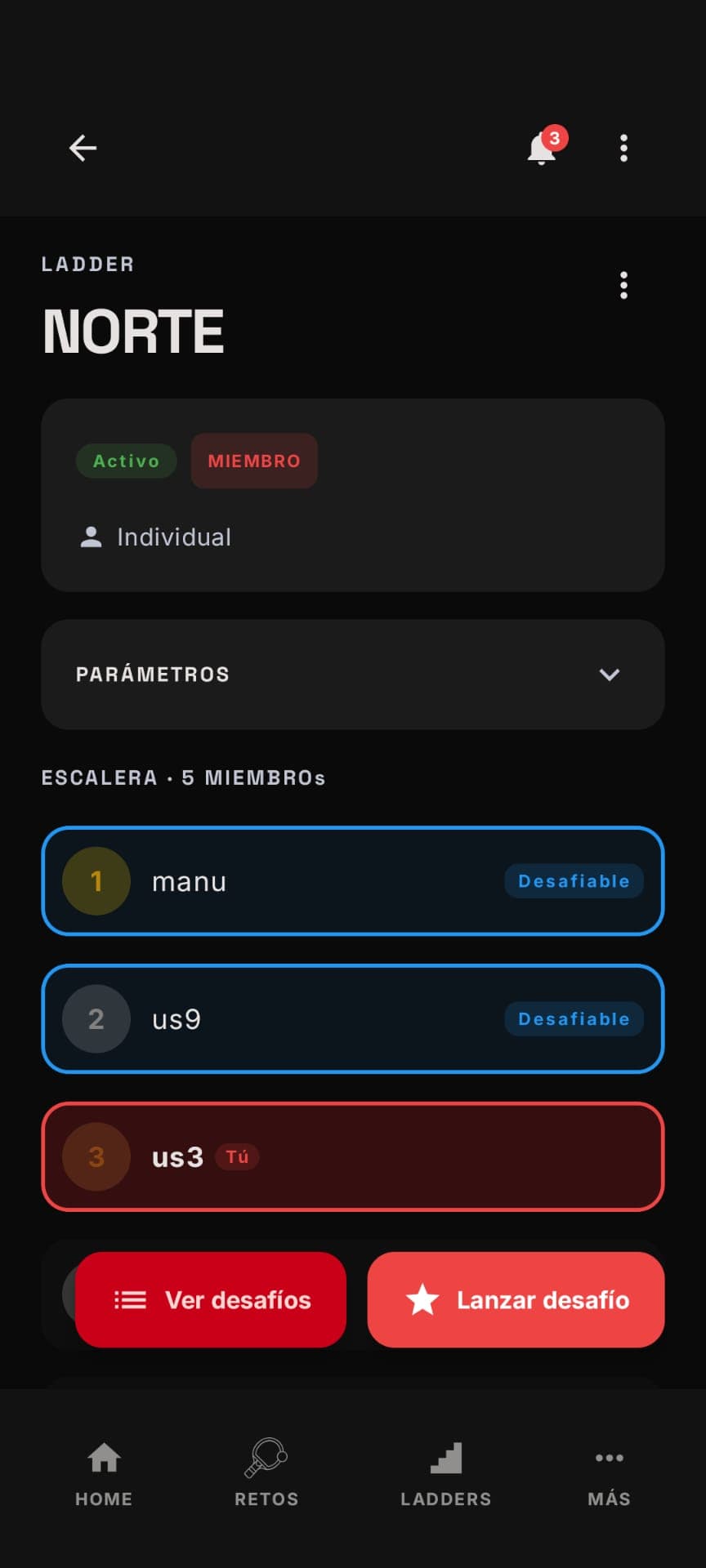 Ladder
The live ladder
View the full ladder with your position highlighted and who you can challenge based on the configured range. Launching a challenge is just one button away.
- 11
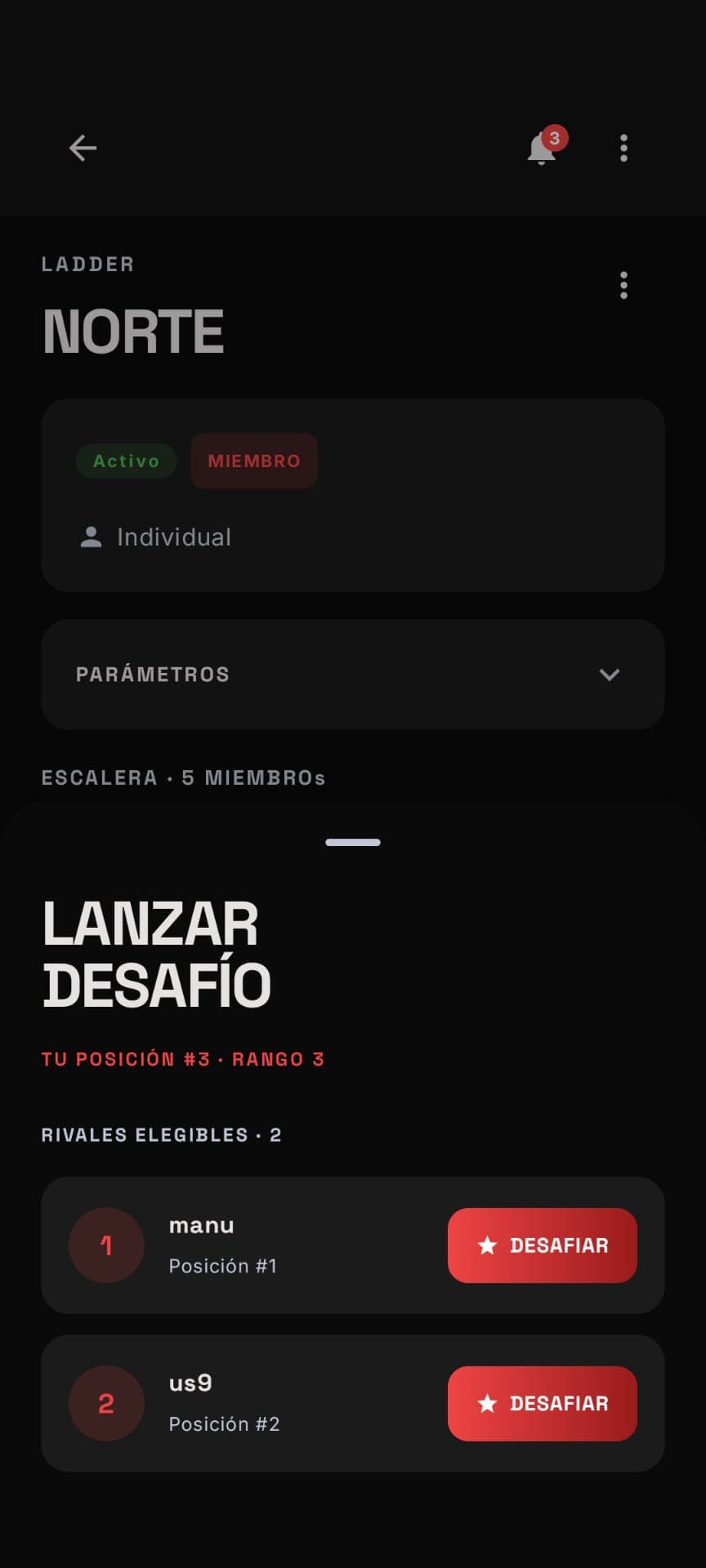 Ladder
Launch a challenge
The app shows only the eligible opponents based on your position and the ladder's range. Challenge whoever is above you and go for their spot.
- 12
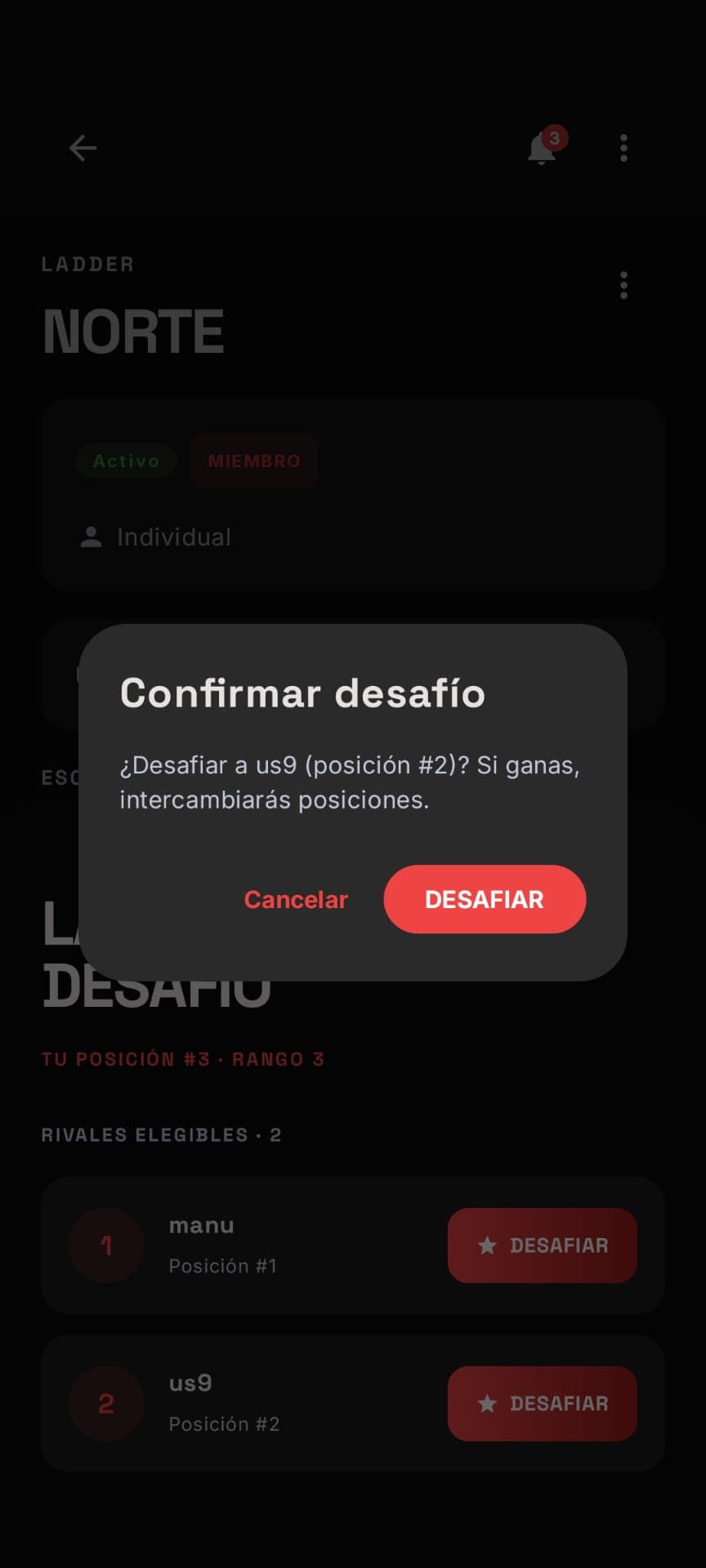 Ladder
Confirm the challenge
Before sending the challenge, the app spells out the rules: winning means taking your opponent's spot. Transparent rules, no surprises.
- 13
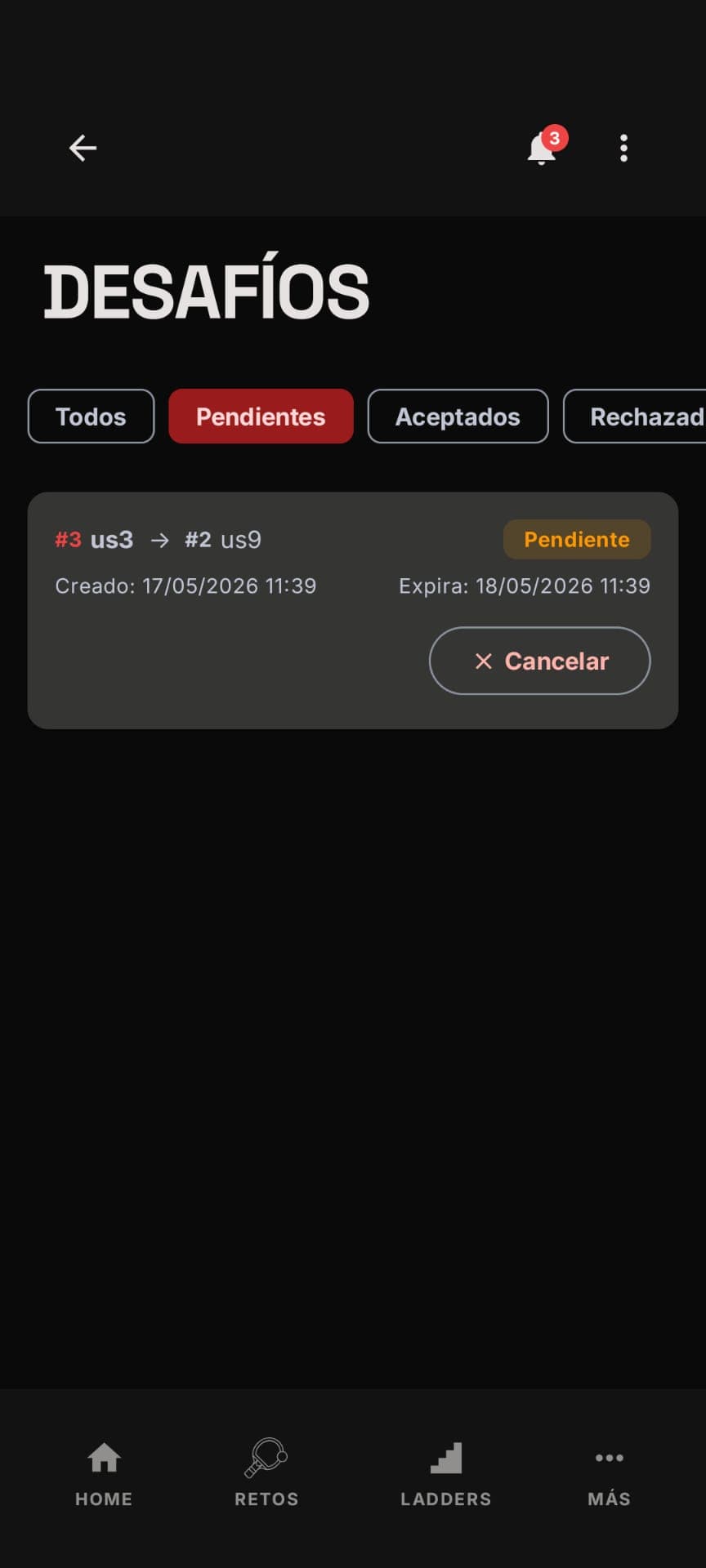 Challenges
Pending
Ladder challenges show origin, destination and expiry date. Change your mind? You can cancel while it's still pending.
- 14
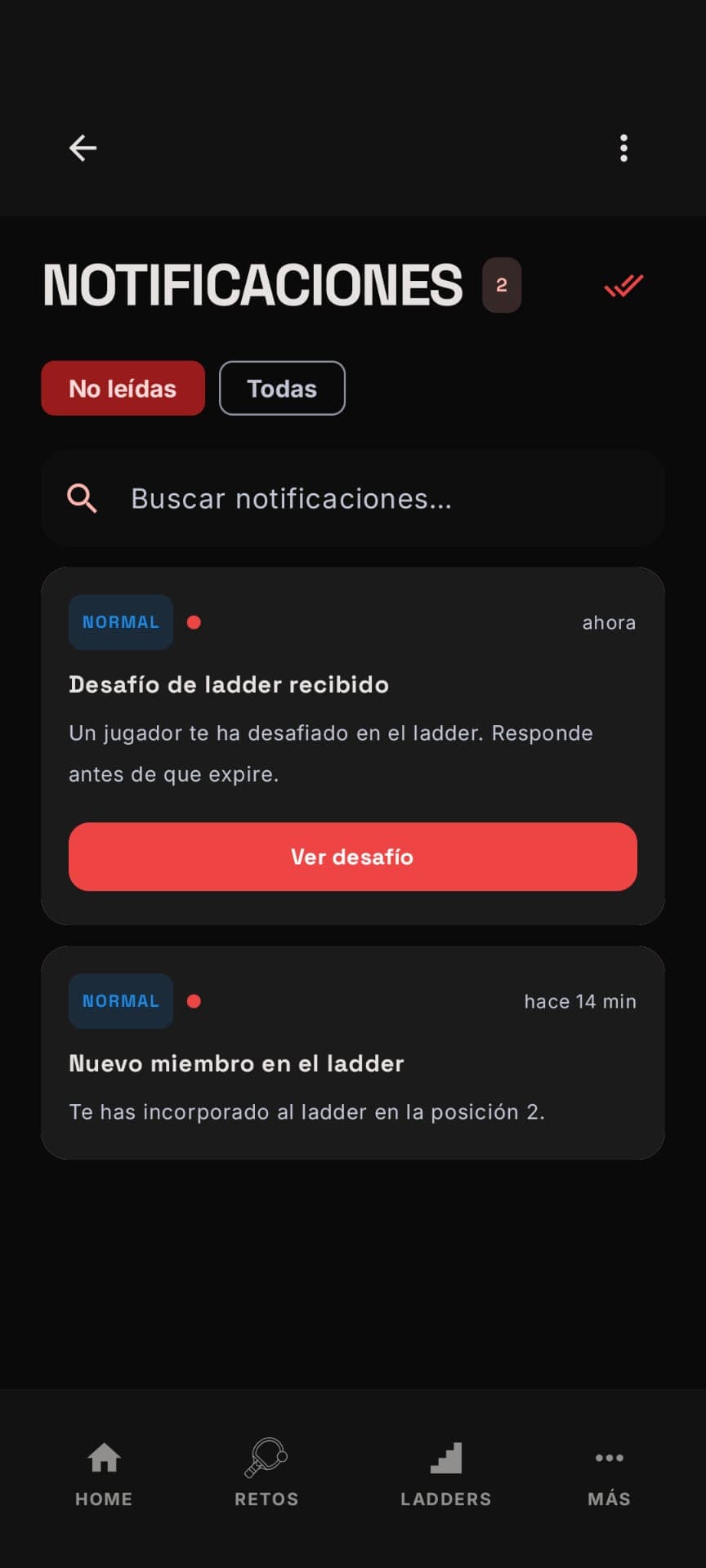 Notifications
Challenge received
Clear, actionable notifications: they alert you to a new ladder challenge or a change in position, with a direct button to respond.
- 15
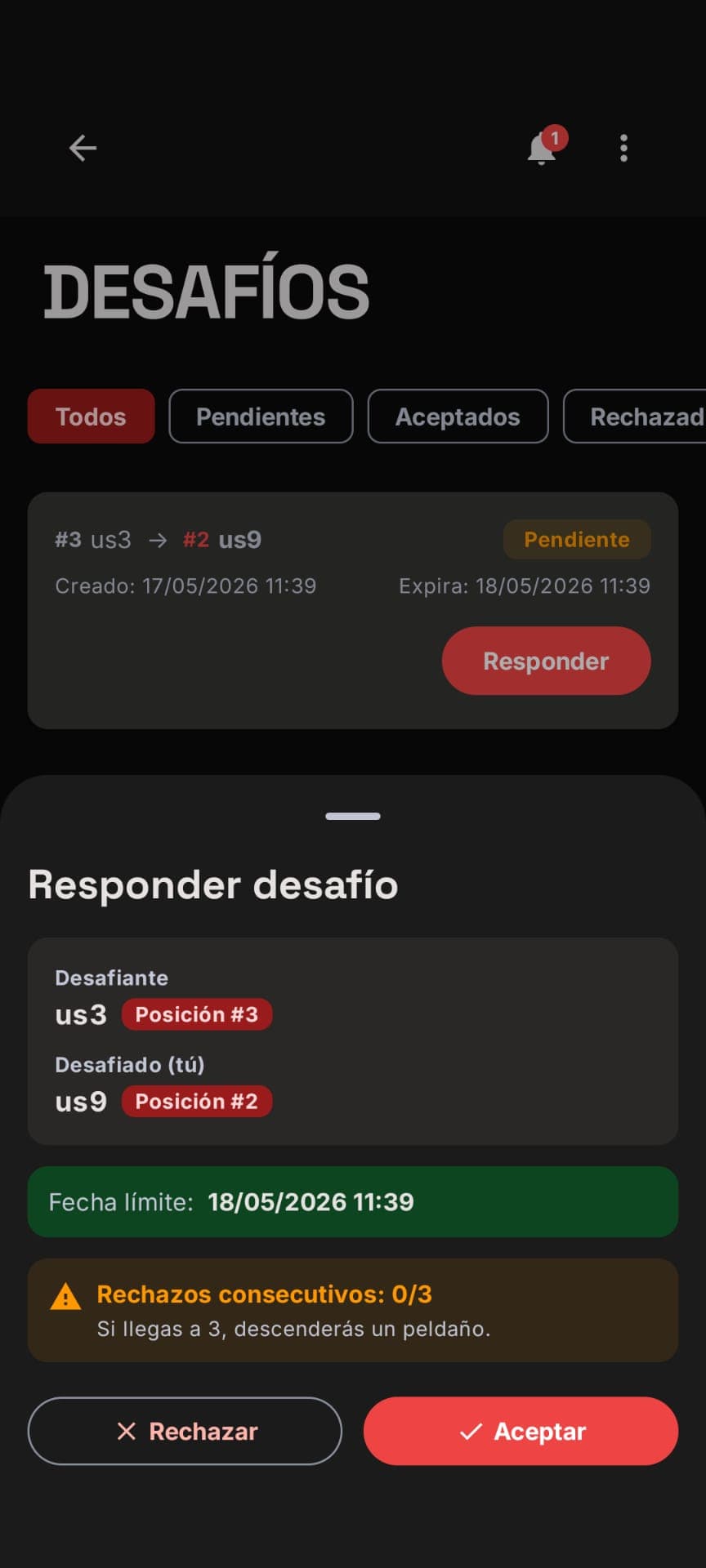 Challenge
Respond
When you respond you see who's challenging you, the positions at stake and the deadline. The app reminds you that rejecting too often drops you down rungs: every choice counts.
- 16
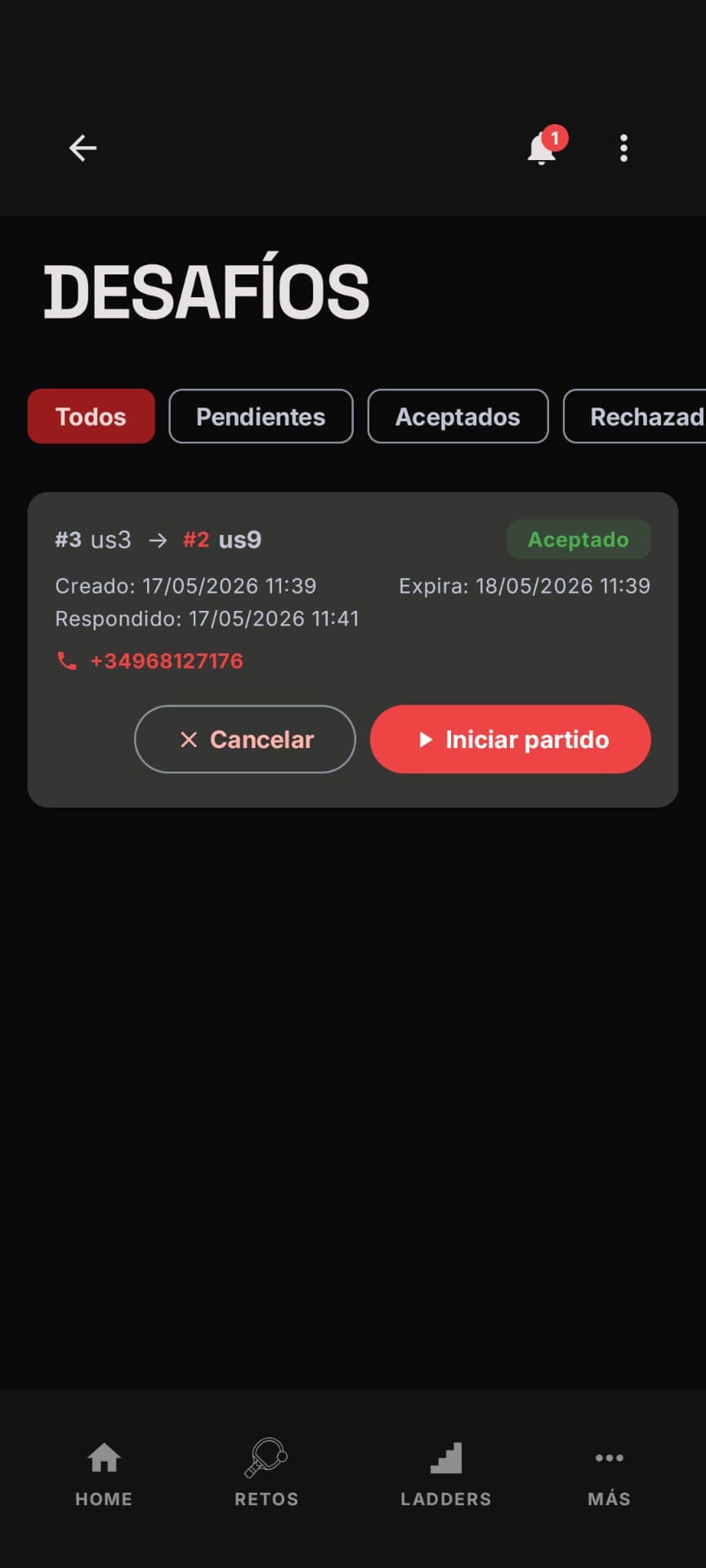 Challenge
Accepted, ready to play
Once the challenge is accepted, you have your opponent's contact to arrange a meet-up and a button to start the match when you're at the table.
- 17
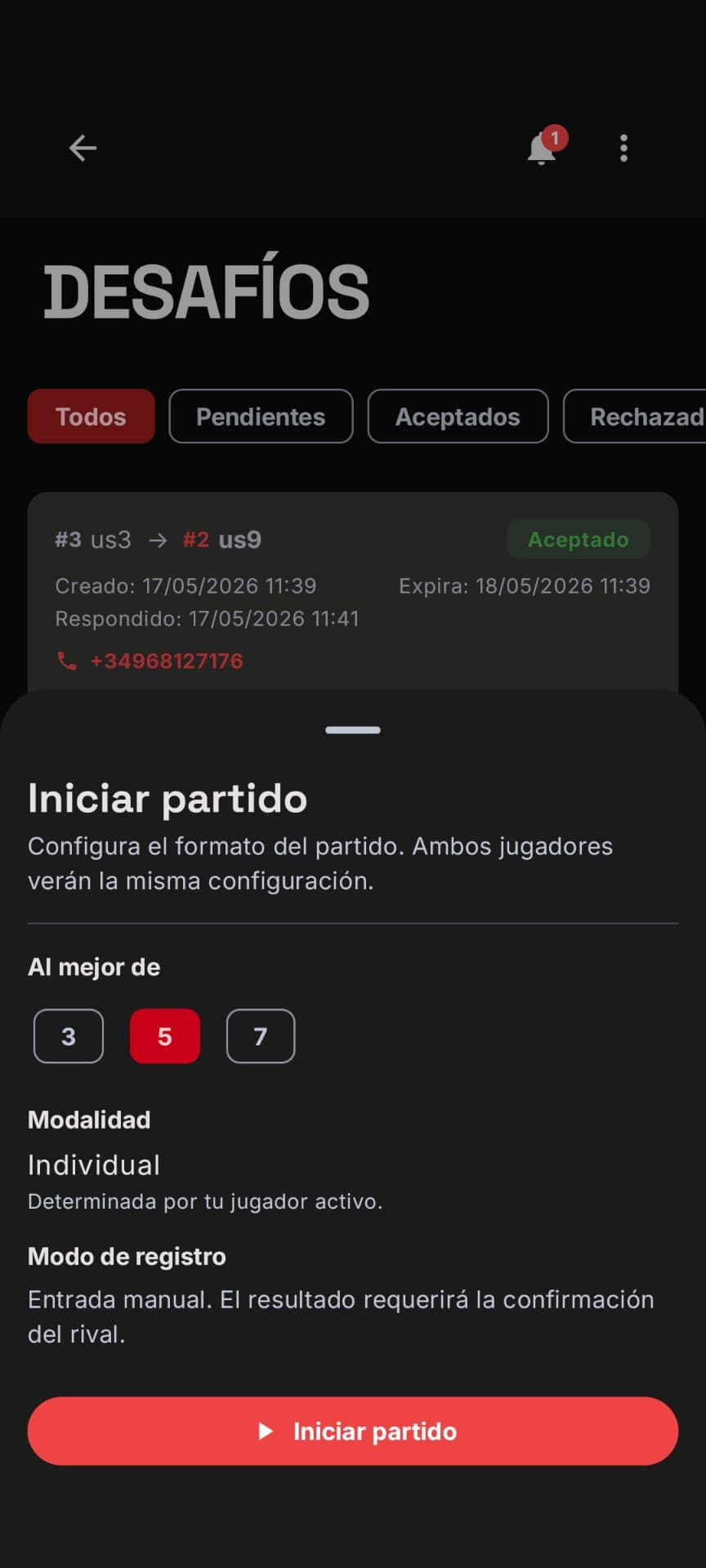 Match
MatchSet the format
Before starting you define the match format. Both opponents share the same configuration, and the result will require the opponent's confirmation to be official.
- 18
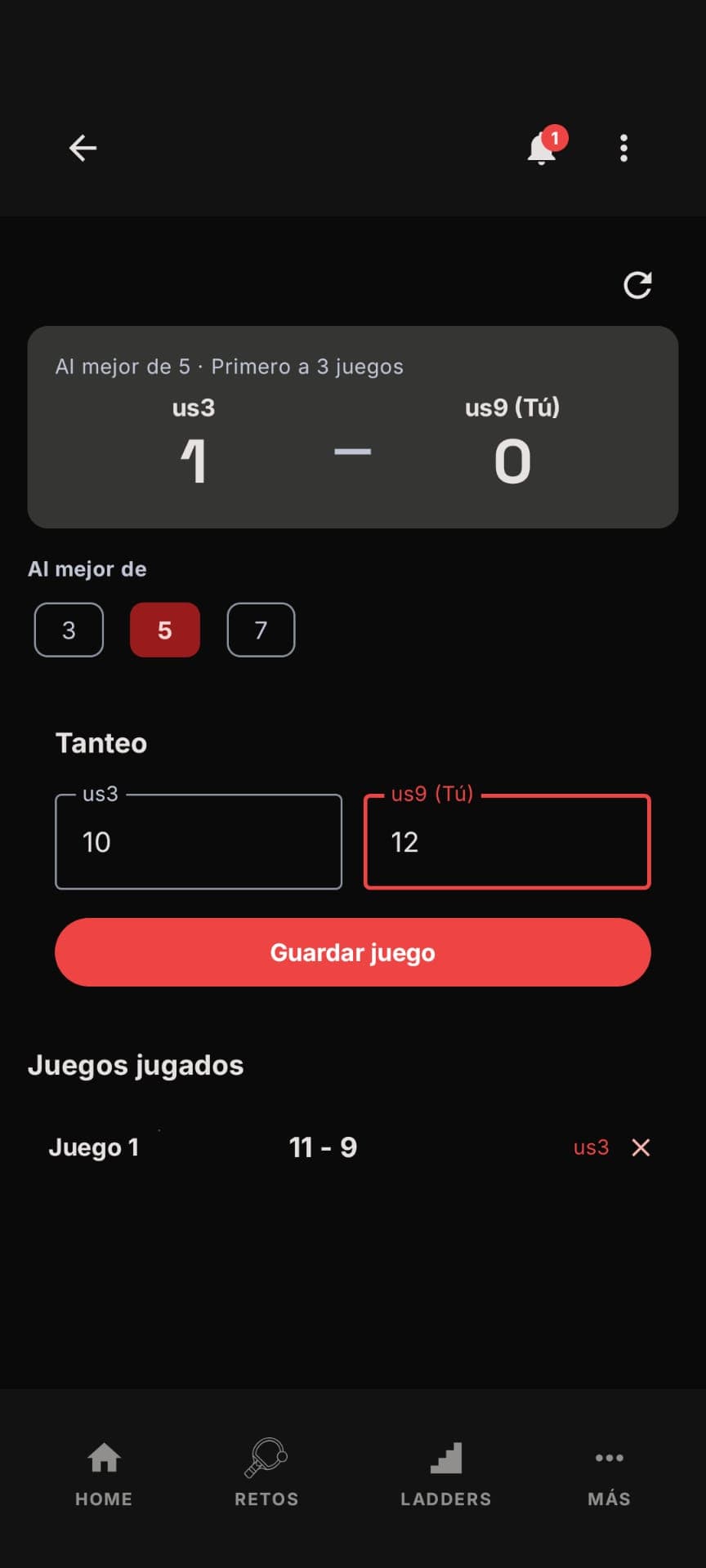 Match
MatchLive scoreboard
Record the result of each game as you play. The app keeps the overall score and saves the history of games played in real time.
- 19
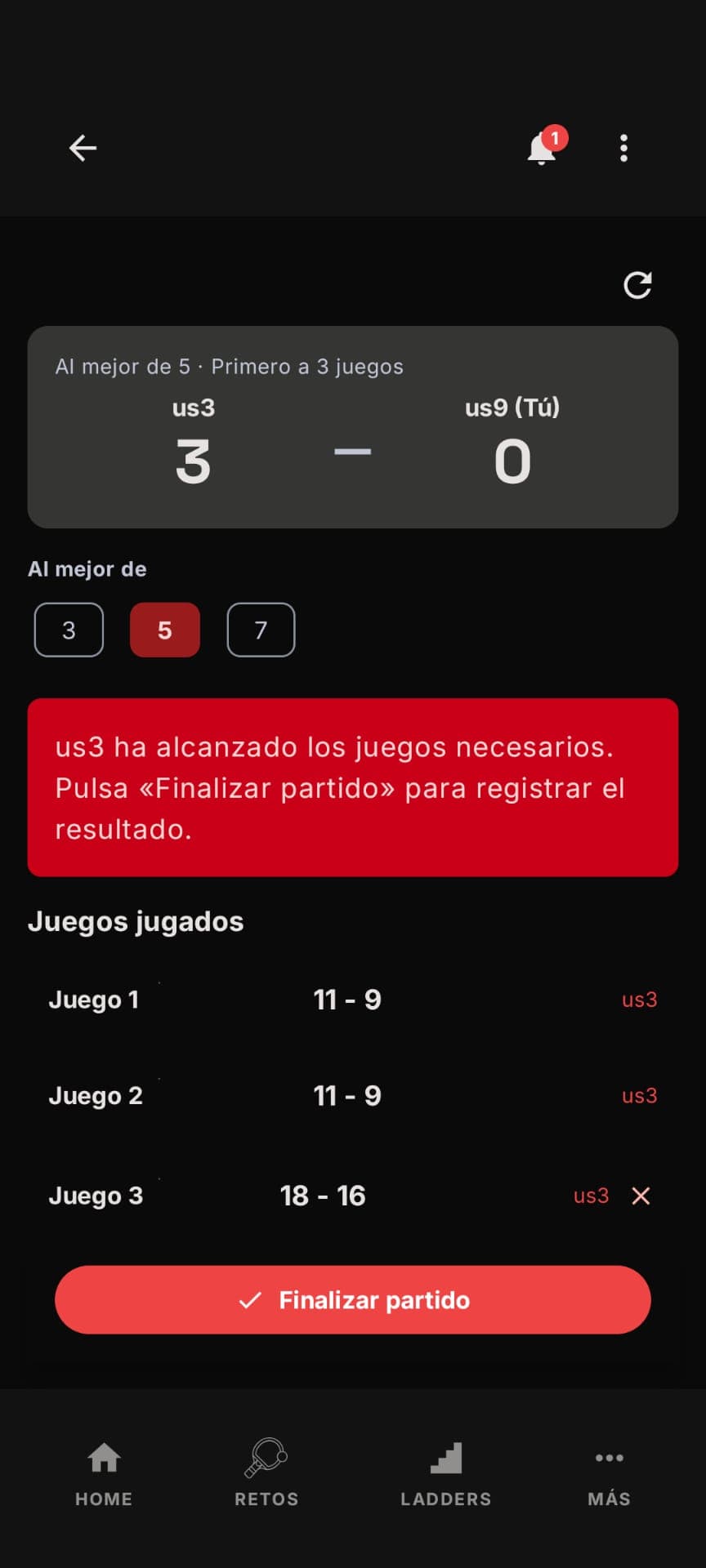 Match
MatchFinish
When someone reaches the required number of games, the app alerts you and invites you to finish and register the official result.
- 20
 Notifications
Confirm the result
When your opponent logs the score, you get a notification to review and confirm it. Only then does the result become official: fair play guaranteed.
- 21
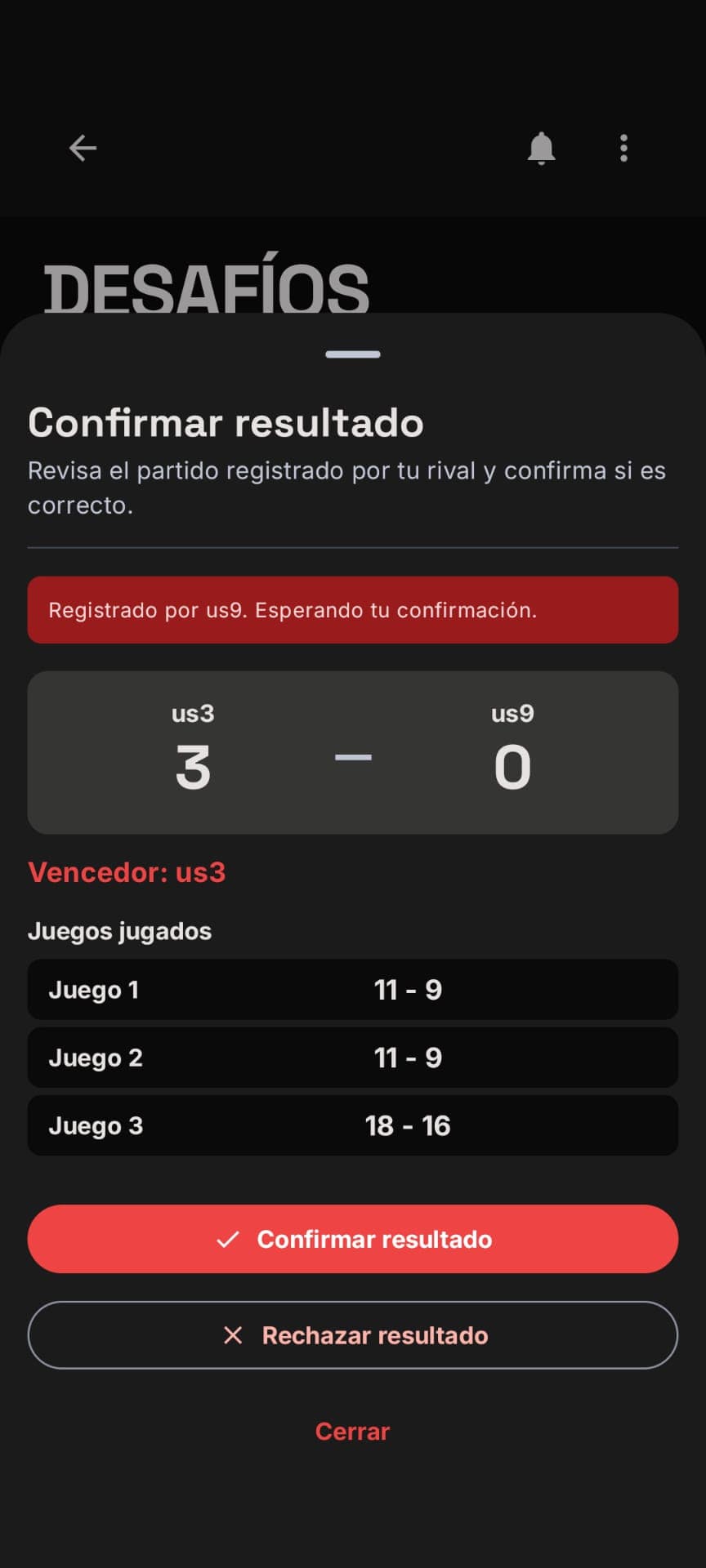 Result
Confirm the result
Before it's made official, you review the score game by game and the winner. If something's off, you can reject it. Double confirmation, zero disputes.
- 22
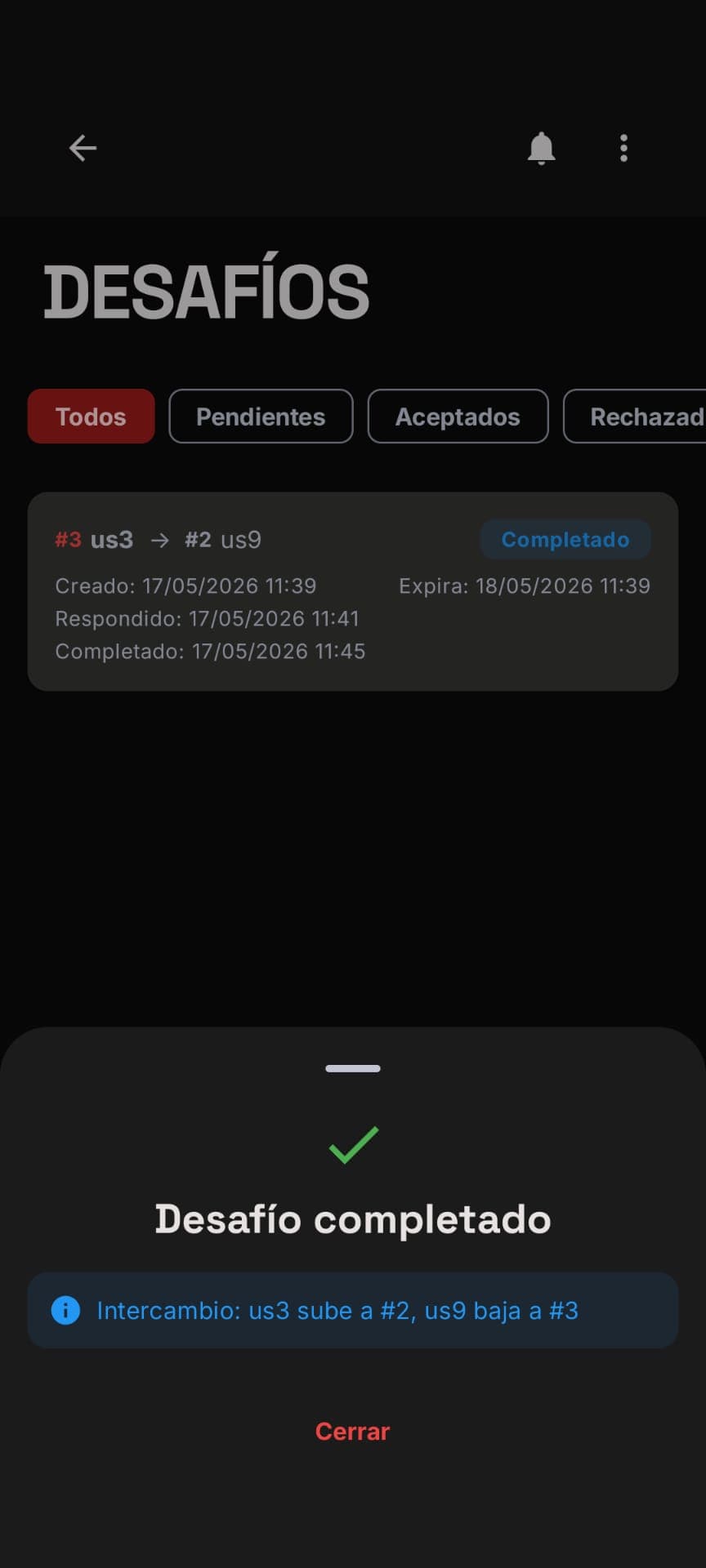 Ladder
Challenge completed
Result confirmed and positions updated automatically: the winner climbs, the opponent drops. The ladder stays up to date effortlessly.
- 23
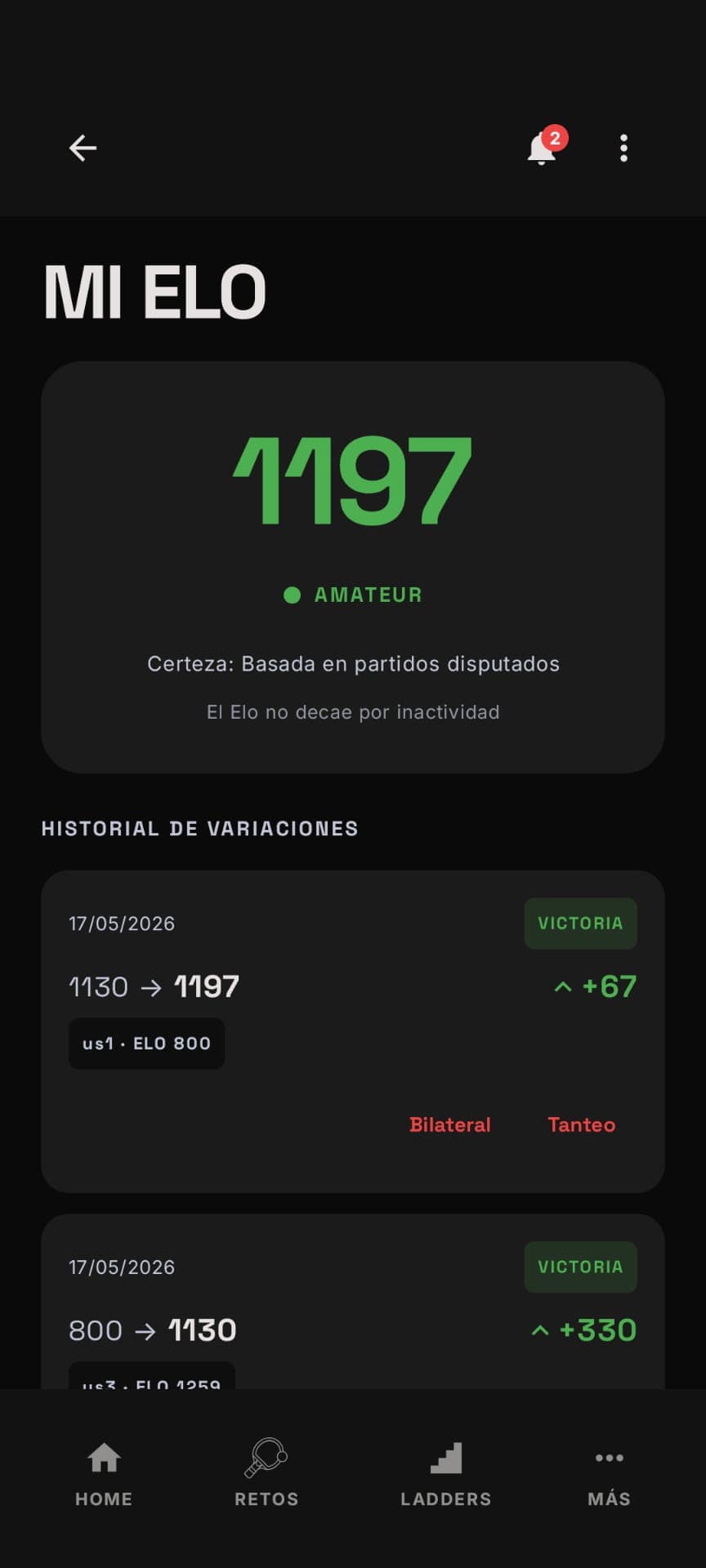 My Elo
Your progress
Your Elo evolves with every result, with a detailed history of variations, opponents and category. It doesn't decay through inactivity: your progress is yours.